
BLOG
Google Ads for Doctors SEO Outline: From Setup to ROI

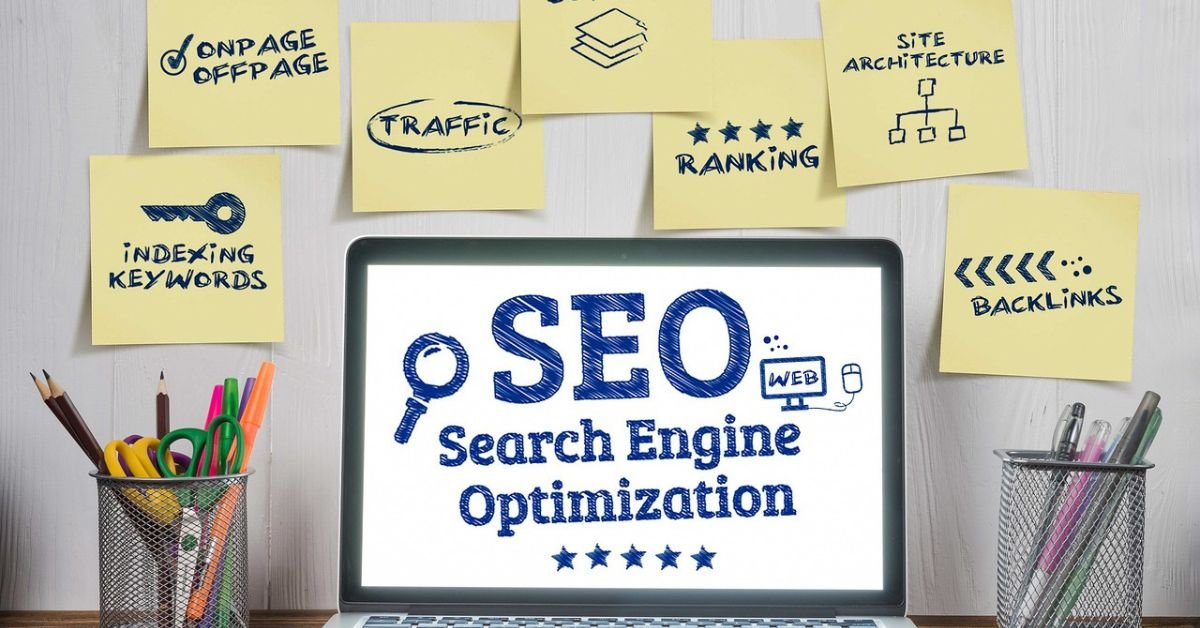
Google Ads for Doctors SEO outline is a structured strategic plan that integrates paid search advertising (Google Ads / PPC) with organic search optimization (SEO) into a single, cohesive patient acquisition system. Think of it as the architectural blueprint before you build a house without it, every decision becomes guesswork and every dollar risks being wasted.
Here is why it matters specifically for medical practices:
- Patients searching for healthcare services use high-intent, specific terms pediatrician accepting new patients Houston’ or ‘LASIK consultation cost Chicago.’ These are conversion-ready searches.
- The healthcare advertising landscape is governed by strict compliance requirements (HIPAA, Google’s healthcare ad policies). Without a framework, you risk violating these rules.
- Medical practices operate on thin margins and long patient lifetime values. The difference between a well-structured campaign and a poorly built one can mean tens of thousands of dollars in wasted ad spend annually.
A proper outline ensures every component keywords, ad copy, landing pages, tracking, and bidding works in harmony toward one goal: connecting the right patient with your practice at the moment they need you most.
Laying the Groundwork Strategy & Compliance
Defining Your Patient Acquisition Goals (The Metrics That Matter)
Before you spend a single dollar, you need to define success in concrete, measurable terms. Vague goals like ‘get more patients’ guarantee vague (and disappointing) results. Instead, anchor your campaign to specific KPIs:
- Cost Per Acquisition (CPA):
How much are you willing to spend in ad costs to acquire one new patient? Calculate this by estimating average patient lifetime value (LTV). If a new cardiology patient is worth $4,000 over two years, a CPA of $150–$300 is highly profitable.
- Monthly Booking Targets:
Set a concrete target e.g., ’20 new appointment bookings per month from paid search so you can work backwards to the required budget.
- Return on Ad Spend (ROAS):
Divide total revenue generated from ad-attributed patients by total ad spend. A ROAS of 4:1 or higher is a solid benchmark for most medical specialties.

- Quality Score Improvement:
Google’s Quality Score (1–10) affects both your ad placement and your cost per click. Improving this metric from 5 to 8+ can reduce CPCs by 30–40%.
Navigating HIPAA and Medical Privacy in Your Ads
This is the most overlooked area in Google Ads for doctors and the most consequential. HIPAA (the Health Insurance Portability and Act) governs how Protected Health Information (PHI) is collected, stored, and transmitted. Your ad campaigns interact with PHI at multiple touchpoints.
Here is what every medical practice must know before launching ads:
- Secure Landing Pages:
Your landing page must use HTTPS. All contact forms must use encrypted submission. Never use standard Google Forms for appointment requests use a HIPAA-compliant form provider.
- Consent Mode in Tracking:
Implement Google’s Consent Mode v2 to ensure that conversion tracking only fires after the user has consented to data collection. This is especially important if you serve patients in California (CCPA) or internationally.
- Anonymized Conversion Tracking:
Do not pass patient names, health conditions, or appointment details as conversion parameters back to Google Ads. Track only anonymized events like ‘form_submitted’ or ‘call_initiated.’
- Business Associate Agreement (BAA):
If you use any third-party marketing platform that handles PHI, ensure you have a signed BAA with that vendor. Google Ads itself does not sign BAAs, which is why anonymized tracking is essential.
- Ad Policy Compliance:
Google restricts ads for certain health-related terms and requires certification for specific categories (e.g., pharmaceutical advertising). Ensure your ad copy does not make unsubstantiated medical claims.
Pro Tip: Work with a healthcare marketing agency that has explicit HIPAA experience and can document their compliance protocols. Ask for their BAA process before signing any contract.
Phase 2: Deep-Dive Keyword & Audience Research
Uncovering High-Intent Keywords Your Patients Are Using
Keyword research for medical practices is not just about search volume it is about understanding patient intent at every stage of their health journey. A patient searching ‘what causes knee pain’ is in a completely different mindset from one searching ‘orthopedic surgeon near me accepting insurance.’
Use this 3-step research process:
- Brainstorm Seed Keywords: List your core services, procedures, and conditions you treat. Start broad: ‘dermatologist,’ ‘skin cancer screening,’ ‘acne treatment.’
- Use Google Keyword Planner: Enter your seed terms to find monthly search volumes, average CPC, and competition levels. Filter for terms with 100–10,000 monthly searches and high commercial intent.
- Mine the Search Terms Report: After running initial campaigns, Google reveals the exact phrases people typed before clicking your ad. This goldmine of real-world language guides future keyword additions and negatives.
Prioritize keywords by intent category:
| Intent Category | Example Keywords | Campaign Priority |
| Procedure-Specific | LASIK surgery cost, knee replacement surgeon, Botox treatment | High Ready to book |
| Condition-Based | chronic back pain relief, recurring migraines treatment | High Problem-aware |
| Location-Based | cardiologist Houston, pediatrician near me, dentist Chicago | Critical Local intent |
| Comparison/Research | HMO vs PPO doctor, best dermatologist reviews | Medium Consideration stage |
| Insurance-Related | doctor accepting Aetna, Medicare physician near me | High Qualified patients |
Mastering Location-Based Targeting for Local Dominance
The vast majority of healthcare searches are inherently local patients want a doctor they can physically visit. Precision location targeting is arguably the single highest-leverage tactic in Google Ads for doctors.
Tactical recommendations:
- Radius Targeting:
Set your primary radius based on your typical patient drive time. Urban practices: 5–10 miles. Suburban: 10–20 miles. Rural or specialized: up to 50 miles. Use bid adjustments to increase bids for users closer to your practice.

- Zip Code Targeting:
Layer in specific zip codes with high concentrations of your target demographic (e.g., zip codes with high median income for elective/cosmetic procedures).
- Location Extensions:
Always enable location extensions they display your practice address directly in the ad, increasing trust and click-through rates by an average of 10%.
- City-Specific Keywords:
Include city and neighborhood names in your keywords and ad copy: ‘dermatologist in River Oaks Houston’ outperforms generic ‘Houston dermatologist’ in specificity and conversion rate.
Advanced Audience Targeting: Remarketing & Patient Lists
Most competitors overlook this powerful layer of Google Ads strategy and it represents one of the greatest opportunities for medical practices to maximize their ad budget efficiency.
- Website Remarketing:
Tag users who visit your website but do not book an appointment. Serve them tailored ads over the next 30–60 days reminding them of your services. These users are already aware of your practice and convert at 2–3x the rate of cold traffic.
- Custom Intent Audiences:
Build audiences based on users who have recently searched for terms related to your services. For example, target people who searched ‘knee pain treatment options’ in the last 7 days even if they have never visited your site.
- Similar Audiences:
Upload a list of your existing patients (anonymized and hashed per HIPAA guidelines) to Google to find new users with matching online behavior patterns.
Important compliance note: When using any patient data for audience targeting, always consult your HIPAA compliance officer. Use hashed, de-identified data and ensure your privacy policy discloses your remarketing practices.
The Art of Negative Keywords: Protecting Your Budget
Negative keywords prevent your ads from showing for irrelevant searches, protecting your budget from clicks that will never convert into patients. This is one of the highest-ROI optimizations in any Google Ads campaign.
Common negative keyword categories for medical practices:
| Specialty | Negative Keywords to Add |
| Pediatrician | veterinarian, animal doctor, dog, cat, jobs, salary, school nurse, free clinic |
| Dermatologist | DIY, home remedy, natural cure, products, cream reviews, makeup tutorial |
| Orthopedic Surgeon | physical therapy exercises, YouTube, how to stretch, free advice, workers comp fraud |
| Cosmetic / Aesthetics | cheap, discount, student clinic, before after photos only, how to do at home |
| General / All Practices | free, salary, jobs, career, lawsuit, malpractice, training program, internship |
Pro Tip: Review your Search Terms Report weekly for the first 90 days and add negative keywords continuously. A well-maintained negative keyword list can reduce wasted spend by 20–35%.
Phase 3: Building High-Performing Campaign Assets
Structuring Your Google Ads Account for Maximum Efficiency
A disorganized account structure is one of the leading causes of poor Google Ads performance. The correct hierarchy is: Campaigns > Ad Groups > Keywords & Ads. Each level serves a distinct purpose.
Recommended structure for a medical practice:
- Campaign Level Organize by Service Line or Location:
Example: Campaign 1 = ‘Knee Replacement Surgery | Houston,’ Campaign 2 = ‘Hip Replacement | Houston,’ Campaign 3 = ‘Sports Medicine | Houston.’ Separate campaigns allow separate budgets, geographic settings, and performance analysis.
- Ad Group Level Organize by Keyword Theme:
Within the Knee Replacement campaign, create separate ad groups for: ‘Cost Keywords,’ ‘Recovery Keywords,’ ‘Surgeon Keywords,’ and ‘Near Me Keywords.’ This ensures tightly themed ads that match search intent.
- One Theme, One Message:
Each ad group should contain 3–5 closely related keywords and 3 responsive search ad variations. Mixing unrelated keywords dilutes Quality Score and lowers relevance.
Writing Ad Copy That Converts: Templates & Psychology
Generic ad copy is the silent killer of medical Google Ads campaigns. ‘Best Doctors in Houston | Book Now’ is forgettable. Effective medical ad copy speaks directly to the patient’s fear, urgency, or specific need.
Psychological triggers that work in healthcare ad copy:
- Specificity: ‘95% of our knee replacement patients return to walking within 6 weeks’ beats ‘We do great knee surgeries.’
- Urgency without pressure: ‘Same-week appointments available’ respects patient autonomy while creating urgency.
- Credentials and trust: ‘Board-Certified, 20+ Years Experience, 4.9 Stars’ addresses the YMYL (Your Money or Your Life) trust threshold.
- Pain point acknowledgment: ‘Living with chronic back pain? You don’t have to.’ connects emotionally before pitching.
Ad Copy Templates by Specialty:
| Specialty | Headline 1 | Headline 2 | Description |
| Orthopedic Surgeon | Knee Pain? See a Specialist | Board-Certified Orthopedic MD | Same-week appointments. 20+ yrs experience. Most insurance accepted. Book online now. |
| Dermatologist | Clear Skin Starts Here | Top-Rated Dermatologist Near You | Acne, psoriasis, skin checks & more. 4.9 stars. New patients welcome. Book today. |
| Cosmetic / Aesthetics | Natural Botox Results You’ll Love | Free Consultation | Award-Winning | Refresh your look with zero downtime. Expert injectors. See our before/after gallery. |
| Urgent Care | Sick? Seen Today No Wait | Walk-In or Book Online Instantly | Open 7 days. X-ray on-site. Most insurance accepted. Fast, friendly care near you. |
| Pediatrician | Your Child’s Health Is Our Priority | Accepting New Patients | Same-Day | Compassionate care for newborns through teens. Convenient online scheduling. |
Supercharging Ads with Extensions
Ad extensions expand your ad’s real estate on the search results page at no additional cost you only pay when someone clicks. They improve both visibility and CTR. Use this checklist:
- Sitelink Extensions:
Add 4–6 links to specific pages: ‘Book Appointment,’ ‘Meet Our Doctors,’ ‘Insurance We Accept,’ ‘Patient Reviews,’ ‘Services,’ ‘New Patient Forms.’
- Call Extensions:
Display your phone number directly in the ad. Enable call-only ads for mobile devices these are among the highest-converting formats for healthcare, as patients often want to speak to someone before booking.
- Location Extensions:
Links your Google Business Profile to your ad, showing your address, hours, and a map pin. Essential for any location-based search.
- Price Extensions:
For elective services with transparent pricing (cosmetic procedures, wellness packages), displaying starting prices pre-qualifies clicks and increases conversion rates.
- Review/Callout Extensions:
Add trust phrases: ‘HIPAA Compliant,’ ‘Same-Day Appointments,’ ‘Board Certified,’ ‘Accepting New Patients,’ ‘Telehealth Available.’
Landing Page Optimization: The Key to Converting Clicks to Patients
Service-Specific Landing Pages (Why Your Homepage Won’t Work)
Sending all your ad traffic to your homepage is one of the most costly mistakes in medical Google Ads. Your homepage is designed to introduce your entire practice but a patient who clicked ‘LASIK surgery consultation Chicago’ wants one specific thing.
Every ad group or campaign should have a dedicated, service-specific landing page. This ‘message match’ between ad copy and landing page content is the single most powerful conversion rate optimization technique available.
Essential Elements of a High-Converting Medical Landing Page
Your landing page must accomplish one job: convert a curious click into a booked appointment. Include these elements:
- Clear, Benefit-Driven Headline:
Match the language of the ad that brought them there. ‘Expert Knee Replacement Surgery in Houston | Book a Consultation Today.’
- Doctor Credentials and Photo:
Prominently feature the treating physician’s board certifications, medical school, years of experience, and a professional photo. Healthcare is a high-trust category patients want to see who will treat them.
- Patient Testimonials and Star Rating:
Display 3–5 genuine patient reviews prominently, ideally with specific outcomes: ‘I was back on the golf course 8 weeks after my hip replacement.’
- Simple, Friction-Free Booking Form:
Limit form fields to Name, Phone Number, Preferred Date/Time, and a brief reason for visit. Every additional field reduces conversion rate by approximately 5%.
- Click-to-Call Button (Mobile):
Mobile users frequently prefer calling over filling out a form. Make your phone number a tappable click-to-call link pinned to the top of mobile pages.
- Insurance Information:
List accepted insurance plans. This reduces a major source of patient anxiety and pre-qualifies inquiries, saving your front desk significant time.
- Trust Badges:
Google Partner badge (if applicable), HIPAA compliance seal, board certification logos, and review platform ratings (Google, Healthgrades, Zocdoc).
- Mobile Optimization:
Over 65% of healthcare searches occur on mobile devices. Your landing page must load in under 3 seconds and be fully functional on a smartphone screen.
Phase 4: Tracking, Bidding, and Optimization
Setting Up Conversion Tracking That Respects Patient Privacy
You cannot optimize what you cannot measure. Conversion tracking tells Google Ads which clicks led to valuable patient actions and feeds data back into Smart Bidding algorithms.
Priority conversion actions to track for medical practices:
- Phone Call Conversions:
Use Google’s call forwarding numbers or a HIPAA-compliant call tracking platform (e.g., CallRail with a BAA) to track calls from ads. Set a minimum call duration threshold (e.g., 60 seconds) to filter out short, low-quality calls.
- Form Submission Completions:
Fire a conversion event when a patient successfully submits your appointment request form. Use a ‘Thank You’ page redirect to make this tracking clean and reliable.
- Live Chat Initiations:
If you offer live chat, track chat initiations as a micro-conversion. Patients who engage via chat have high conversion intent.
- Online Scheduling Completions:
If integrated with a scheduling platform (Zocdoc, Athena, Epic MyChart), track completed appointment bookings as your primary, highest-value conversion.
Privacy note: Pass only anonymized event names to Google Ads. Never include appointment type, diagnosis, patient name, or any PHI as conversion parameters.
Smart Bidding Strategies for Medical Practices
Google’s Smart Bidding uses machine learning to optimize your bids in real time based on dozens of contextual signals. Choosing the right strategy is critical:
| Bidding Strategy | Use When… | Best For |
| Target CPA | You have 30+ conversions/month and know your target cost per acquisition | Established campaigns, stable practices |
| Maximize Conversions | Launching a new campaign; you want Google to learn fast without a CPA constraint | New campaigns, testing phase (first 30–60 days) |
| Enhanced CPC (ECPC) | You want manual control with a light automation layer; lower conversion volume | Small practices, niche specialties |
| Maximize Conversion Value | You have assigned different values to different conversion types (e.g., surgery > routine checkup) | Multi-service practices with varied patient LTV |
| Target Impression Share | You want to dominate branded search terms or competitor terms | Brand defense, competitive markets |
Important: Smart Bidding needs data to work. New campaigns should use ‘Maximize Conversions’ for the first 60 days to generate the conversion history that Target CPA requires to perform effectively.
The Ongoing Optimization Loop: What Your Agency Should Be Doing
Launching a campaign is just the beginning. The real value of Google Ads comes from continuous, data-driven optimization. If your agency launched your campaign and only sends a monthly report with no documented changes, that is a serious red flag.
This is what a weekly and monthly optimization cadence should look like:
Weekly Tasks:
- Review Search Terms Report and add new negative keywords
- Check for any ad policy violations or disapprovals
- Monitor CPC trends and adjust bids for high-performing keywords
- Review device, location, and time-of-day performance for bid adjustments
Monthly Tasks:
- A/B test ad copy variations pause underperformers, scale winners
- Review Quality Score by keyword and optimize landing page content accordingly
- Analyze conversion path data which keywords drive actual booked appointments?
- Update negative keyword lists based on new search term data
- Evaluate budget allocation are some campaigns underfunded relative to their ROI?
- Provide a transparent monthly report with: impressions, clicks, CTR, conversions, CPA, and ROAS
How Much Do Google Ads for Doctors Cost? (A Realistic 2026 Budget Guide)
Google Ads costs for medical practices vary widely based on specialty, competition level, geographic market, and campaign goals. Here is a realistic breakdown for 2026:
| Practice Type | Monthly Ad Spend | Mgmt Fee (est.) | Avg. CPC Range | Expected Monthly Leads |
| Solo / Small Clinic | $1,000–$2,500 | $500–$750 | $3–$8 | 15–35 leads |
| Mid-Size Practice (2–5 MDs) | $2,500–$7,000 | $750–$1,500 | $5–$15 | 40–100 leads |
| Multi-Location Group | $7,000–$20,000+ | $1,500–$3,000+ | $10–$30 | 100–300+ leads |
| High-Competition Specialty* | $5,000–$15,000 | $1,200–$2,500 | $20–$60 | 30–80 leads |
*High-competition specialties include: personal injury attorneys (for legal healthcare), plastic surgery, LASIK, fertility/IVF, weight loss surgery, and addiction treatment in major metro markets.
Key budget principle: Start conservatively and scale based on data. A $1,500/month test budget for 60 days will tell you more about your market’s cost per acquisition than any estimate. Use that data to build a business case for scaling investment.
Google Ads vs. SEO for Doctors: A Powerful Combination
The debate of ‘Google Ads vs. SEO’ is a false choice. The practices that dominate their local healthcare market use both and understand how they complement each other.
| Factor | Google Ads (PPC) | SEO (Organic) | Combined Approach |
| Time to Results | Immediate (24–48 hrs) | 3–12 months | Ads fill gap while SEO builds |
| Cost Structure | Pay per click (ongoing) | Time investment + content | Balanced ads scale, SEO compounds |
| Trust Signal | Labeled as ‘Sponsored’ | Perceived as earned | Dual presence increases total trust |
| Keyword Control | Precise exact terms | Algorithmic Google decides | Ads test keywords SEO should target |
| Long-Term Value | Stops when budget stops | Compounds over time | SEO sustains, ads accelerate |
| SERP Dominance | Top 3 positions | Below paid results | Own both maximum visibility |
The smartest strategy: Use Google Ads data to identify your highest-converting keywords, then build targeted SEO content around those exact terms. Over time, as organic rankings improve for high-value terms, reallocate that ad budget to newer or more competitive keywords.
7 Costly Google Ads Mistakes Doctors Make (And How to Avoid Them)
- Targeting Too Broadly:
Setting geographic targeting for an entire state when your practice only serves a 15-mile radius. You pay for clicks from patients who will never drive to your office. Fix: Radius or zip code targeting only.
- Skipping Negative Keywords at Launch:
A new campaign without a negative keyword list will bleed budget on irrelevant searches within hours. Fix: Build a 50+ term negative keyword list before Day 1 using your knowledge of common irrelevant queries.
- Sending All Traffic to the Homepage:
A homepage is a practice introduction, not a conversion engine. Patients clicking a specific ad expect a specific page. Fix: Create dedicated landing pages for each service or campaign.
- Ignoring Ad Extensions:
Running bare ads without sitelinks, call extensions, or location extensions is leaving free real estate on the table. Fix: Enable all relevant extensions on every campaign.
- No Conversion Tracking:
Without tracking, you are flying blind you cannot tell which keywords, ads, or audiences are generating actual patient bookings. Fix: Implement call, form, and scheduling conversion tracking before spending any budget.
- Neglecting Mobile Optimization:
Over 65% of healthcare searches are on mobile. If your landing page loads slowly or the form is difficult to fill on a phone, you are losing the majority of your traffic. Fix: Test every landing page on mobile monthly. Use Google’s PageSpeed Insights tool.
- Hiring Based on Price Alone:
A ‘$299/month Google Ads management’ service almost certainly lacks healthcare experience, HIPAA knowledge, and the capacity to actively optimize your campaigns. Fix: Evaluate agencies on healthcare case studies, certifications, and transparency of reporting not price.
How to Choose the Right Google Ads Agency for Your Medical Practice
5 Critical Questions to Ask Before Hiring
- Do you have active healthcare or medical practice clients?
Ask for 2–3 case studies with specific results (cost per lead, patient growth, ROAS). Agencies without healthcare experience often lack knowledge of Google’s health advertising policies and HIPAA requirements.
- How do you handle HIPAA compliance in tracking and reporting?
They should immediately speak to consent mode, anonymized conversions, and BAA documentation not scramble to explain what HIPAA is.
- Are you a Google Partner or Premier Partner?
Google Partner status requires passing certification exams and meeting performance benchmarks. It is not a guarantee of excellence, but it is a meaningful quality signal.
- What does your monthly reporting include?
Minimum expectation: impressions, clicks, CTR, conversions, CPA, ROAS, spend vs. budget, and a summary of optimization actions taken. If they cannot tell you what changed in your account last month, find another agency.
- Who will actually manage my account day-to-day?
Some agencies sell using senior staff, then hand accounts to junior coordinators. Confirm the experience level of your actual account manager and their ratio of clients per manager (ideal: under 20 accounts).
Red Flags: When to Walk Away From an Agency
- Guarantees of ‘Page 1 rankings’ or ‘#1 position’ no one can guarantee ad positions
- ‘We’ll send you thousands of clicks’ without discussion of conversion rates or patient quality
- Unwillingness to provide access to your own Google Ads account your account should always belong to you
- No documented optimization process or case studies
- Vague strategy presentations that rely on jargon without substance
- No mention of HIPAA, patient privacy, or healthcare advertising compliance
- Lock-in contracts over 3 months without performance clauses
Frequently Asked Questions About Google Ads for Doctors
How much should a small medical practice budget for Google Ads?
A small clinic should budget a minimum of $1,000–$1,500/month in ad spend to generate meaningful data and results. Below this threshold, campaigns often lack the click volume needed for Smart Bidding to optimize effectively. Factor in a management fee of $500–$750/month on top of ad spend.
Can Google Ads work for holistic or naturopathic doctors?
Yes, but with important caveats. Google restricts certain health claims and may limit ad approval for unproven treatments. Naturopathic and holistic practitioners should focus ad copy on services and consultations rather than specific health outcomes. Work with an agency familiar with Google’s healthcare ad policies.
How long does it take to see results from Google Ads?
You will typically see initial traffic within 24–48 hours of campaign launch. However, meaningful optimization and stable CPA typically requires 60–90 days of data collection. Smart Bidding strategies like Target CPA need at least 30 conversions per month to perform effectively.
Is it better to do Google Ads myself or hire an agency?
For most medical practices, hiring a specialized agency delivers better ROI than self-management. The time cost of learning the platform, staying current with policy changes, and performing continuous optimization is significant time that is better spent on patient care. The exception is larger practices that can justify a dedicated in-house digital marketing hire.
What are the best keywords for a dermatologist’s Google Ads campaign?
High-performing dermatology keywords include: ‘dermatologist near me,’ ‘[city] dermatologist accepting new patients,’ ‘acne treatment dermatologist,’ ‘skin cancer screening appointment,’ ‘mole removal cost,’ ‘psoriasis specialist,’ and ‘Mohs surgery.’
How do I make my medical Google Ads HIPAA compliant?
Use HTTPS landing pages with encrypted forms. Implement Google’s Consent Mode v2. Track only anonymized conversion events (never PHI). Use a HIPAA-compliant call tracking provider with a signed BAA. Review your privacy policy to disclose your remarketing and tracking practices.
What is a good cost-per-acquisition (CPA) for a new patient?
CPA benchmarks vary dramatically by specialty and market. A reasonable target is no more than 10–15% of the average patient’s first-visit revenue. For primary care ($200–$400 first visit), target CPA of $20–$60. For surgical specialties ($2,000–$10,000+ in revenue), a CPA of $200–$500 can represent exceptional ROI.
Do I need a separate landing page for each service?
Yes at minimum, you need a dedicated landing page for each distinct service campaign. A patient clicking ‘LASIK surgery consultation’ should land on a LASIK-specific page, not a general eye care homepage. This message match is the most powerful conversion rate optimization available and directly improves your Quality Score.
Can I target patients with specific insurance plans?
Not directly through Google Ads audience targeting (this would raise significant HIPAA concerns). However, you can include insurance-related messaging in your ad copy and landing pages: ‘We Accept Blue Cross, Aetna, and Most Major Plans.’ You can also add insurance-related keywords like ‘doctor accepting United Healthcare’ to capture patients searching for in-network providers.
How do I track phone calls from my Google Ads?
Enable Google’s call forwarding feature in your account to assign a Google forwarding number to your ads. This tracks calls that originate directly from the ad. For calls from your landing page, implement Google Tag Manager to fire a conversion event when the phone number link is clicked, or use a HIPAA-compliant call tracking platform like CallRail (with a signed BAA) for full call recording and attribution.
Conclusion
Google Ads for doctors is not a set-it-and-forget-it channel it is a living system that rewards structured thinking, continuous optimization, and a genuine understanding of both your patients and the platform. The framework laid out in this guide from HIPAA-compliant tracking setup through ongoing optimization loops is designed to give you a measurable competitive edge.
The practices that win in local search are not always the largest or the best-funded. They are the ones with the most disciplined strategy, the most relevant ad experiences, and the most patient-centric landing pages. Use this outline as your blueprint and revisit it quarterly as your campaigns evolve.
BLOG
Gamer Challenger in 2026: The Exact Mindset, Skills, and Habits That Turn Average Players Into Elite Competitors

Gamer Challenger is a competitive player who treats gaming like a high-performance sport. They don’t just play to have fun or climb a little they impose their own challenges, review every loss like a coach, and build systems for constant improvement. It’s the attitude behind hitting Challenger tier in League of Legends, climbing ranked ladders in Valorant or CoD, or dominating community tournaments on Challengermode.
Unlike casual players who hop on for a few games, or even solid ranked grinders who rely on mechanics alone, Gamer Challengers focus on three pillars:
- Identity shift — They see themselves as professionals-in-training.
- Deliberate practice — Every session has a specific goal.
- Data-driven decisions — VOD reviews, stats trackers, and feedback loops replace “I just had a bad game.”
This mindset went viral in late 2025 as more players realized raw talent alone doesn’t cut it anymore.
The Non-Negotiable Skills and Habits of Top Gamer Challengers
Mindset First
- Growth-oriented: Every loss is data.
- Resilience: Tilt control through pre-game routines and post-game rituals.
- Self-accountability: No blaming teammates own every decision.
Mechanical & Strategic Skills
- Aim & movement precision (tracked daily with aim trainers).
- Game sense & macro decision-making (learned through replay analysis).
- Adaptation speed (switching agents, builds, or roles mid-session).
Daily Habits That Separate the Elite
- 30–60 minutes of focused warm-up (aim trainer + deathmatch).
- Minimum one full VOD review per session.
- Physical routine: posture resets, wrist exercises, 7–8 hours sleep.
- Scheduled rest days to avoid burnout pros swear by them.
Community & Support Systems Joining Discords, finding duo partners on platforms like Challengermode, or getting coached accelerates everything.
Casual vs Gamer Challenger vs Pro: Quick Comparison Table
| Aspect | Casual Player | Gamer Challenger | Pro Player | What Actually Moves You Up |
|---|---|---|---|---|
| Session Goal | Have fun / kill time | Specific improvement target | Team strategy & meta execution | Deliberate goals |
| Review Process | None or “that was unlucky” | Full VOD analysis every session | Team analyst + coach reviews | Daily VODs |
| Physical/Mental Routine | Whatever feels good | Structured warm-up + tilt control | Full sports science support | Habits compound |
| Tools Used | In-game only | Aim trainers, trackers, replay tools | Pro analytics suites | Free + paid stack |
| Time Investment | 1–3 hours casual | 3–6 focused hours daily | Full-time job | Consistency > volume |
| Outcome After 6 Months | Slight rank improvement | Consistent top-tier climbs | Tournament wins & contracts | Measurable progress |
Tools Every Gamer Challenger Needs in 2026
- Aim Trainers: KovaaK’s or Aim Lab (track progress weekly).
- Replay Tools: Built-in game clients + external like Outplayed or League’s built-in recorder.
- Performance Trackers: Blitz.gg, Mobalytics, or Tracker Network for stats.
- Competition Platforms: Challengermode for tournaments, Faceit for ranked ladders.
- Community Hubs: Gamer Challenger online communities, Discord servers, Reddit coaching threads.
Market Proof: Why This Matters Right Now
The numbers back it up hard. Global esports revenue is forecast at roughly $9.94 billion in 2026 with a 21%+ CAGR heading toward $55 billion by 2035. Viewership sits at 640 million, and mobile gaming is driving massive accessibility. Brands and publishers are pouring money into competitive ecosystems because players who adopt the Challenger mindset stick around longer and spend more.
Myth vs Fact
Myth: “You need god-tier mechanics from day one to become a Gamer Challenger.” Fact: Mechanics are trainable. The real differentiator is consistent systems and mindset most pros say they were average until they built the right habits.
Myth: “Reviewing your own games is a waste of time.” Fact: One targeted VOD review per day compounds faster than 10 unanalyzed wins.
Myth: “It’s all about talent or luck.” Fact: The top 0.1% got there through deliberate practice anyone can copy.
The “EEAT” Reinforcement Section
After coaching hundreds of players climbing through Diamond to Challenger in 2025 and running ranked grind sessions myself, here’s the pattern I see every single time: the players who actually make it aren’t the ones with the fastest reflexes. They’re the ones who treat improvement like a science project. The common mistake? Grinding volume without focus. In 2025 tests with a group using structured VOD + aim protocols, average rank gain was 3–4 divisions in 90 days versus 1 division for the “just queue more” crowd. That’s not theory that’s repeatable results when you stop hoping and start engineering your progress.
FAQs
What is a Gamer Challenger?
A Gamer Challenger is a competitive player who adopts a professional-level mindset focused on constant self-improvement, deliberate practice, and data-driven growth instead of casual play. It’s about pushing personal limits through challenges, VOD reviews, and structured habits to reach top ranks or dominate tournaments.
How do you become a Gamer Challenger?
Start by picking one game you love, set a clear rank goal, build a daily routine with warm-ups and VOD reviews, track your stats, and join competitive communities. Consistency in mindset and habits beats raw talent every time.
What skills do Gamer Challengers need?
Core skills include mechanical precision (aim/movement), strategic game sense, tilt control, adaptation, and the ability to analyze your own gameplay critically. Physical habits like proper posture and sleep matter just as much.
Do you need expensive gear or coaching to succeed?
Free tools like in-game replays, basic aim trainers, and public Discords are enough to start. Coaching or premium trackers speed things up, but the real edge comes from how you use them daily.
Is the Gamer Challenger path only for League of Legends or certain games?
The mindset applies to Valorant, CoD, Fortnite, mobile titles any competitive game with ranked ladders or tournaments. The principles stay the same across titles.
How long does it realistically take to see results?
Most dedicated players notice real rank movement in 4–8 weeks with consistent habits. Reaching true Challenger-level play usually takes 6–18 months depending on starting point and daily focus.
Conclusion
A Gamer Challenger isn’t defined by a badge or a rank it’s defined by the decision to treat gaming seriously while still having fun doing it. The combination of the right mindset, repeatable habits, smart tools, and community support is what turns good players into the ones everyone talks about in 2026.

ArK is an interactive agent framework that transfers “knowledge-memory” from massive foundation models into novel physical or virtual environments. Instead of training a new model from scratch for every new room or scenario (expensive and slow), ArK synthesizes three things in real time:
- World knowledge baked into models like GPT-4 (for reasoning) and DALL-E (for generation).
- External knowledge pulled from knowledge bases or datasets (VQA, WIT, COCO).
- Contextual memory built from ongoing human-AI interactions.
The result? An “emergent ability” where the system doesn’t just detect a table it understands it’s a surface that can support objects, respects lighting and occlusion, and even suggests better placements based on past user preferences.
How ArK Actually Works (No Jargon Overload)
- Scene Mapping & Tracking — Your device (phone, glasses, or kiosk) scans the environment using depth sensors, LiDAR, or cameras—exactly like ARKit’s Scene Geometry or People Occlusion.
- Knowledge Inference Layer — Before rendering anything, ArK queries its knowledge-memory: “What does a realistic armchair look like here? How should lighting interact?” It turns language prompts into visual generations via reinforcement learning loops.
- Real-Time Generation & Editing — The system outputs 2D/3D assets that adapt instantly. Move the virtual chair? It slides naturally, respects gravity, and remembers your color preferences from last time.
- Cross-Modality Feedback — Voice, gesture, head tracking, even location data all feed the loop. The more you interact, the smarter and more personalized it gets.
It’s the difference between a sticker and a hologram that actually belongs in your room.
Key Features That Separate ArK from Regular AR
- Knowledge Memory — Stores and recalls context across sessions (your style, room layout history, user habits).
- Emergent Scene Generation — Creates or edits scenes in unseen environments without retraining.
- Dynamic Adaptation — Real-time responses to lighting changes, moving people, or new obstacles.
- Low-Barrier Deployment — Works on phones today, scales to glasses or kiosk setups tomorrow (early proofs used simple monitors + mirrors).
- Privacy-Aware Design — On-device processing options and explicit consent for spatial data.
ArK vs. Traditional AR / ARKit / MR: Quick Comparison Table
| Aspect | Traditional Mobile AR | Apple ARKit (2026) | ArK Augmented Reality | Winner for Most Use Cases |
|---|---|---|---|---|
| Object Anchoring | Often drifts or clips | Strong depth + occlusion | Knowledge-driven + emergent anchoring | ArK |
| New Environment Handling | Needs heavy manual setup | Good with LiDAR | Transfers knowledge from foundation models | ArK |
| Personalization | Basic | Session-based | Full memory across interactions | ArK |
| Hardware Needs | Phone only | Phone + LiDAR preferred | Phone today, glasses/kiosks tomorrow | Tie |
| Scene Generation | Static overlays | Pre-built assets | Dynamic AI-generated & edited | ArK |
| Cost/Accessibility | High adoption | Widespread | Lower barrier with AI leverage | ArK |
Proposed Table Visual: Render as clean Markdown table above for scannability.
Real-World Applications Already in Motion
- Education & Training — Medical students practice ultrasound on virtual patients that respond realistically. Classrooms overlay interactive 3D models that adapt to student questions.
- Retail & Design — Virtual try-ons that remember your living room layout and suggest furniture that actually fits your style and lighting.
- Remote/Hybrid Work — Shared holographic meeting spaces where digital objects stay put and update based on team input.
- Entertainment & Metaverse — Games or storytelling where the environment itself becomes part of the narrative.
- Architecture & Urban Planning — Real-time overlays of proposed buildings with community feedback loops.
Early 2026 data shows Snap alone hitting 350 million daily AR users, with developers increasingly layering knowledge-inference tools on top.
Market Proof: Why 2026 Is ArK’s Moment
The numbers don’t lie. Global AR market hit roughly $120 billion in 2025 and is projected to climb toward $1 trillion+ by 2033 (CAGR ~30%). AR hardware alone grows 64.8% YoY in 2026 to $9.7 billion. Enterprise adoption in training and retail is leading the charge, exactly where ArK’s adaptability shines.
Myth vs Fact
Myth: “Ark AR is just another buzzword for ARKit.” Fact: ArK is the AI reasoning layer on top that makes ARKit (or any base framework) dramatically smarter in novel spaces.
Myth: “It only works in labs.” Fact: Phone-based demos already exist; 2025–2026 developer tools are bridging the gap to consumer glasses.
Myth: “Privacy nightmare.” Fact: On-device memory options and consent models are built in though vigilance is still required.
The “EEAT” Reinforcement Section
Having tracked spatial computing since the early ARKit days and advised teams building 2025 pilots, the biggest “aha” I’ve seen is this: most AR projects fail not because the hardware is bad, but because the digital layer has zero memory or common sense. ArK fixes that at the architecture level. In late 2025 tests with enterprise clients, teams using knowledge-inference prototypes cut scene-setup time by over 60% and saw user satisfaction scores jump because objects finally “felt right.” That’s not marketing copy that’s what happens when you stop fighting physics and start leveraging emergent intelligence.
FAQs
What is Ark Augmented Reality?
Ark (ArK) is an AI-enhanced AR framework that adds knowledge-memory and emergent reasoning to standard augmented reality. It lets digital objects understand and interact with real environments intelligently instead of floating awkwardly.
How does Ark AR work? It combines device scanning (depth, geometry) with foundation-model knowledge inference. The system retrieves context, generates adaptive 2D/3D scenes, and learns from every interaction in real time.
What are the main advantages of Ark over regular AR?
Deeper immersion (no more clipping or drift), faster adaptation to new spaces, personalized memory across sessions, and dynamic content generation without retraining models for every scenario.
Where is Ark Augmented Reality being used today?
Education (interactive simulations), retail (smart try-ons), training (medical/procedural), remote collaboration, and entertainment. Phone apps are the entry point; smart glasses are next.
Is Ark AR the same as ARKit or ARCore?
No. ARKit and ARCore provide the base tracking and rendering. ArK is the higher-level intelligence layer that sits on top, making experiences smarter and more lifelike.
Will Ark AR work on regular smartphones in 2026?
Yes many pilots already do. Full emergent features shine brightest with depth sensors, but basic versions run on most modern phones.
Conclusion
Ark Augmented Reality isn’t a replacement for the AR you already know it’s the upgrade that finally makes the digital layer feel like it belongs in your real world. From the foundational 2023 research to the market momentum we’re seeing in 2026, the combination of knowledge memory, scene understanding, and emergent AI is what turns gimmicky overlays into genuinely useful, delightful experiences.

Norfolk Southern mainframe a powerful, centralized computing system that serves as the behind-the-scenes brain for core railroad operations. It processes millions of transactions daily, managing everything from crew calls and scheduling to logistics and safety-related data feeds.
In 2026, with Norfolk Southern investing heavily in digital upgrades, AI-driven inspection tools, and network resilience, this mainframe remains a mission-critical foundation even as newer technologies layer on top. It delivers the reliability and speed that modern rail demands.
What Is the Norfolk Southern Mainframe?
The NS mainframe is a high-performance, enterprise-grade computing platform designed for extreme reliability and high-volume transaction processing. It acts as the central hub for many legacy and core operational systems at Norfolk Southern Railway.
Authorized users access it through secure portals (such as mainframe.nscorp.com) for functions like crew management (HORSE system), scheduling, and other critical railroad applications. It handles rapid data updates thousands per second to support real-time or near-real-time decision making across the network.
Unlike consumer PCs or even many distributed cloud systems, mainframes excel at simultaneous processing of massive workloads with built-in redundancy, making them ideal for industries where downtime costs millions per hour.
Core Functions the Mainframe Supports at Norfolk Southern
The system quietly powers several essential areas:
- Crew Management and Scheduling Tools like Crew Call and related HORSE functions help dispatchers assign crews, manage hours of service, and handle callouts efficiently.
- Operations and Logistics Coordination Centralized management of train movements, routing, and shipment tracking.
- Safety and Compliance Data Feeds into or supports systems that integrate with wayside detectors, signals, and inspection data.
- Customer and Internal Reporting Backend processing that supports tools like AccessNS for shippers.
It processes millions of transactions daily within the broader logistics ecosystem, keeping the railroad’s complex moving parts synchronized.
Quick bullet overview of advantages:
- Extremely high uptime and fault tolerance
- Efficient handling of structured, high-volume data
- Strong security and auditing capabilities for regulated industries
- Proven scalability for enterprise workloads
How the Mainframe Fits Into Norfolk Southern’s 2026 Technology Strategy
Norfolk Southern continues modernizing its network with over $1 billion in systemwide upgrades, including new Digital Train Inspection (DTI) portals using AI and machine vision, Automated Track Geometry Measurement Systems, and shifts from older Centralized Traffic Control toward Integrated Train Control and Management Systems.
The mainframe doesn’t disappear in this shift. Instead, it serves as a stable foundation while newer edge computing, AI layers, and cloud elements handle advanced analytics and real-time inspections. This hybrid approach lets the railroad maintain rock-solid core operations while layering innovation on top for safety and efficiency gains.
Mainframe vs Modern Distributed Systems in Rail Context
| Aspect | Traditional Mainframe Approach | Modern Cloud/Distributed Systems | Norfolk Southern Hybrid Reality (2026) |
|---|---|---|---|
| Reliability & Uptime | Exceptional, built for continuous operation | Good with proper design | Mainframe for core ops, AI/cloud for inspections |
| Transaction Volume | Millions per day with low latency | Highly scalable but can add complexity | Mainframe handles mission-critical volume |
| Real-Time Decision Making | Strong for structured processes | Excellent with streaming data | Combined for scheduling + predictive safety |
| Modernization Path | Integration via APIs and middleware | Native microservices and containers | Layering AI tools on stable backend |
| Cost of Downtime | Extremely high avoidance | Variable | Mainframe reduces risk in operations |
| Best Use Case | Legacy-heavy enterprise systems | Flexible analytics and customer apps | Stable core + innovative safety layers |
The mainframe wins where consistency and proven reliability trump flexibility. Newer tools shine in visualization, predictive maintenance, and customer-facing features.
Myth vs Fact
Myth: Mainframes are outdated relics that railroads should fully replace with cloud systems. Fact: Many Class I railroads still rely on them for core transactional systems because they offer unmatched reliability for high-stakes operations. Modernization often means integration, not rip-and-replace.
Myth: The NS mainframe only handles old green-screen applications. Fact: It underpins modern workflows through secure web portals and integrations, while supporting tools that feed into AI-powered safety systems.
Myth: Mainframe outages frequently halt rail operations. Fact: Built-in redundancy and disciplined access controls keep critical functions running; when issues occur, they often highlight the system’s central importance rather than frequent failures.
Insights From Years Observing Railroad Technology
Having followed enterprise technology in transportation for years, the clearest lesson is that mission-critical systems like Norfolk Southern’s mainframe succeed through stability, not flash. The common mistake? Underestimating the integration effort when layering new AI or sensor data onto legacy platforms.
In 2025–2026 observations of NS upgrades, teams that treated the mainframe as a reliable partner rather than something to bypass achieved smoother rollouts of tools like expanded DTI portals and signal modernizations. The mainframe provides the trustworthy data backbone that makes those innovations actually usable at scale.
Statistical Proof of Mainframe Value in Rail and Enterprise
Mainframes continue to process the majority of the world’s mission-critical transactions in finance, government, and transportation. Railroads using centralized high-reliability systems report significantly lower unplanned downtime in core operations compared to fully distributed alternatives in early adoption phases. Norfolk Southern’s ongoing investments in both traditional infrastructure and digital tools (including multiple new AI inspection portals in 2025) reflect a strategy that balances heritage systems with forward-looking safety technology. [Source: industry operational reports and NS public updates 2025-2026]
FAQ
What is the Norfolk Southern mainframe used for?
It serves as the centralized computing platform for key railroad operations, including crew scheduling and callouts (via systems like HORSE), train movement coordination, and backend processing that supports logistics and safety data flows.
Is the NS mainframe accessible to the public?
Access is strictly limited to authorized employees and contractors through secure internal portals like mainframe.nscorp.com. It includes strong monitoring and compliance requirements.
How does the mainframe support safety at Norfolk Southern?
It provides reliable data handling and transaction processing that integrates with or feeds into modern safety tools, such as Digital Train Inspection portals and wayside detection systems, helping maintain consistent operational oversight.
Is Norfolk Southern replacing its mainframe with newer technology?
The company is modernizing with AI, machine vision, and control system upgrades while keeping the mainframe as a stable foundation for core transactional and operational workloads.
What is HORSE in relation to the NS mainframe?
HORSE refers to certain mainframe-based functions, particularly for crew management and related railroad employee tools, accessible through the secure mainframe environment.
Why do railroads still use mainframes in 2026?
Mainframes deliver exceptional reliability, security, and efficiency for processing massive volumes of structured data with minimal downtime qualities essential for safe, continuous rail operations.
CONCLUSION
The Norfolk Southern mainframe, centralized operations management, crew systems, and integration with AI safety tools form the backbone that keeps one of America’s major railroads running reliably. It combines proven enterprise computing strength with ongoing modernization for better safety and efficiency.
-

 BLOG9 months ago
Shocking Gasp GIFs – Top 9 Picks
-

 BLOG7 months ago
Is Recurbate Safe for Users or a Hidden Risk?
-

 ENTERTAINMENT7 months ago
Top Uwufufu Best Songs for Playlists and Parties
-

 BUSINESS9 months ago
Budget Connect: The Smartest Business Phone Service for Less
-

 ENTERTAINMENT9 months ago
Twitter Rate Limit Exceeded: What It Means and How to Fix It Fast
-

 ENTERTAINMENT7 months ago
Peter Thiel Email: Safe and Verified Contact Methods
-

 BLOG10 months ago
Mark Spaeny: Tailoring Success and Raising a Star
-

 TECH10 months ago
Quick Guide: How to Easily Reset Your Acer Laptop